
Recently, we had trouble transferring photos from my wife’s iPhone 4S to the computer. Window 7 cannot recognize the phone when we plugged in. We tried updating iTunes, changing the cable and nothing seemed to work. These are the common fixes on Google and I am running out of ideas.
The phone is getting full and my wife needs to clear her phone but wanted to keep her pictures and videos. A few days ago I went online and found an app that can transfer the pictures and videos via wifi. The app is called Wireless Transfer App. I highly recommended this because it simple, easy and fast. It is not a free app and it costs $2.99 USD. The most important is that it works. I think you can transfer your photo/media via iTune Wifi. But I never got that figure out. Plus, when it comes to Apple products they are finicky when you start messing with backups. My wife’s iPhone is backed up via iCloud. I never know if I change it back to iTune, I might lose data in the process.
You can purchase and download Wireless Transfer App at iTunes.
Here’s how to transfer your videos and pictures from your iPhone or iPad to your computer via Wifi with this app:
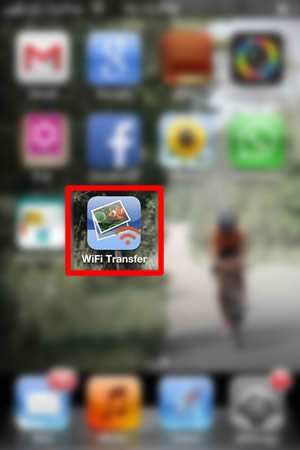
- Purchase and download Wireless Transfer App on your iPad/iPhone. Click on the icon to open the app.
- Click Send.
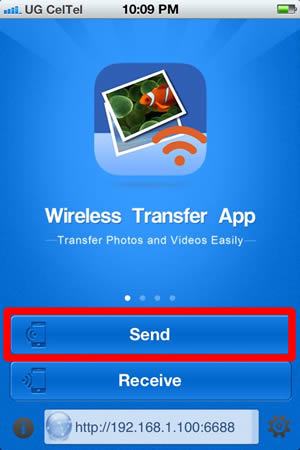
- Select Computer. You can also transfer pictuers and videos to other iPhone or iPad as well.

- The App will give you an IP Address. Keep this screen open because you need this for your computer to access the phone.
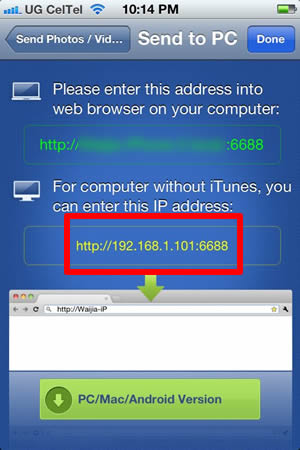
- Now you need to download an App to your computer (Mac or PC).
- Install the software and open it. In this case, I installed the software on my Window 7 PC machine. Now enter the IP Address from the iPhone in step 4 in the Device field.
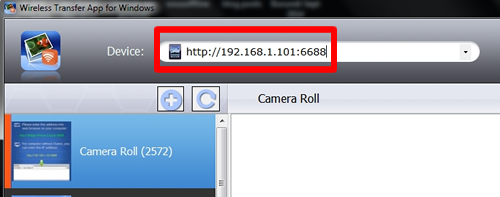
- It might take a few seconds for the software to find out all the photos and albums in the phone. You should see Camera Roll and other Album names from the phone if you type the right IP Address. You can also set where to download it on your computer. When you are ready, you can click on Download All.
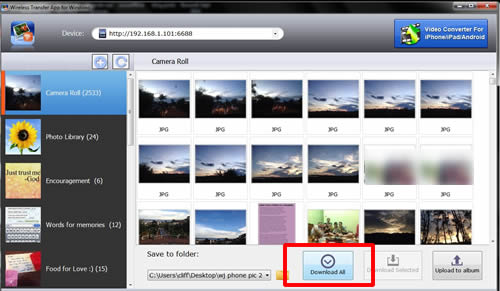
- After all the media is copied, it will tell you that it is downloaded successfully. Now you have a copy of your photos and videos on your computer.



2 Responses
Would using icloud.com and photo sync your pictures that way also work for you guys going forward? lol i am a little late in commenting on this post of course.
Hi Jesse,
I think that would work too. But the problem is that I heard iCloud you only get like 5 GB. Plus it uses data. If you don’t have to pay for data, no worries. But here I am on a tight Internet budget 🙁
Never too late to comment 🙂